Integration between Lutris and Steam both using flatpak
I have installed Diablo II in my machine using Lutris, but I would like to see if I can add it to my Steam.
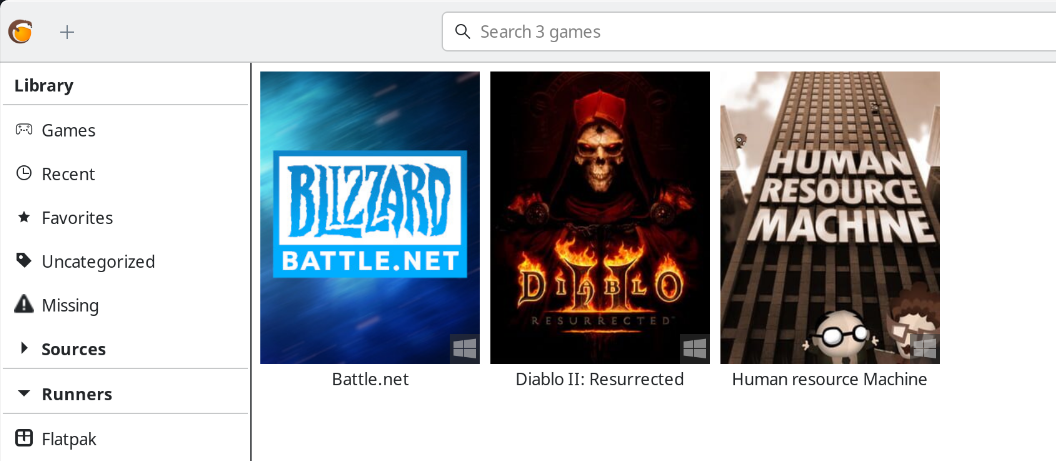 Lutris menu
Adding the shorcut into Steam
Lutris has an option just for that, but every time I tried it didn’t work
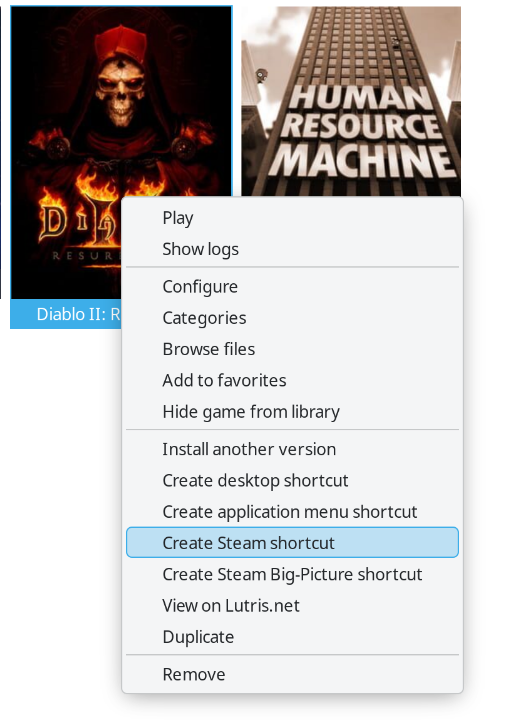 Option to add a shortcut into Steam
I ran Lutris in the console with flatpak run net.lutris.Lutris to understand what was doing and showed me this:
1
2
2026-06-14 18:26:40,607: Creating Steam shortcut for Diablo II: Resurrected (wine)
2026-06-14 18:26:40,610: Failed to copy Diablo II: Resurrected (wine) icon asset to /home/adolfo/.local/share/Steam/userdata/1082768414/config/grid/2556130913_icon.jpg: [Errno 2] No such file or directory: '/home/adolfo/.var/app/net.lutris.Lutris/data/icons/hicolor/128x128/apps/lutris_diablo-2-ressurected.png'
So Lutris was doing something but still failing. I went to github and searched for "Creating Steam shortcut for", which is in this file. Now I can start debugging.
First, it seems to get something called vdf path throught "shortcut_path = get_shortcuts_vdf_path()", so I looked what is vdf in the context of Steam and it means Valve Data File
Ok, now it looks for the config_path with get_config_path() and that function just returns the config path for a Steam user
From what I can see I would say that this function get the userdatapath and an user_ids and returns it adding config to the path. So now I am interested on what get_user_data_dirs() is doing.
The comment for that function says Return the list of available Steam user config directories (using a SteamID32) and the base path where the settings are located (Returns the 1st location found) and the return type is tuple[str, list[str]]
This function uses a list of directories STEAM_DATA_DIRS for the search and it is defined as follows
1
2
3
4
5
6
7
8
9
10
11
12
STEAM_DATA_DIRS = (
    "~/.steam/debian-installation",
    "~/.steam",
    "~/.local/share/steam",
    "~/.local/share/Steam",
    "~/snap/steam/common/.local/share/Steam",
    "~/.steam/steam",
    "~/.var/app/com.valvesoftware.Steam/data/steam",
    "~/.var/app/com.valvesoftware.Steam/data/Steam",
    "/usr/share/steam",
    "/usr/local/share/steam",
)
I understand that it looks for different folders because it doesn’t know how Steam was installed.
Now I see what is happening, Lutris is choosing the path of Steam when I was using the Deb package (~/.local/share/Steam), instead of the newer flatpak’s installation (~/.var/app/com.valvesoftware.Steam/data/Steam). I proved that really quickly:
1
2
adolfo@debian-desktop:~/.local/share/Steam/userdata/1082768414/config$ ls -l shortcuts.vdf
-rwxr-xr-x 1 adolfo adolfo 787 Jun 14 18:26 shortcuts.vdf
The last time it was modified was today, meanwhile for the flatpak’s path:
1
2
adolfo@debian-desktop:~/.var/app/com.valvesoftware.Steam/data/Steam/userdata/1082768414/config$ ls -l shortcuts.vdf
-rwxr-xr-x 1 adolfo adolfo 13 Sep 19  2025 shortcuts.vdf
Reading the VDFs
But I wanted to go a little bit further, I wanted to see what it is inside. Thankfully I found a reddit thread for this
Be carefull with the code you download from internet, I checked the script before execute it just in case.
- I create a vdf folder in /tmp
- Put the two script from readsc.tar.zst in that folder
- Run
./readsc.py /home/adolfo/.local/share/Steam/userdata/1082768414/config/shortcuts.vdf
And I got:
1
2
3
4
5
6
7
8
9
10
11
12
13
14
15
16
17
18
19
20
21
22
23
24
25
26
27
28
29
30
31
32
33
34
{
  "shortcuts": {
    "0": {
      "appid": 4006092820,
      "AppName": "Human resource Machine",
      "Exe": "\"/usr/bin/flatpak\"",
      "StartDir": "\"/home/adolfo\"",
      "icon": "/home/adolfo/.var/app/net.lutris.Lutris/data/icons/hicolor/128x128/apps/lutris_human-resource-machine.png",
      "LaunchOptions": "run net.lutris.Lutris lutris:rungameid/31",
      "IsHidden": 0,
      "AllowDesktopConfig": 1,
      "AllowOverlay": 1,
      "OpenVR": 0,
      "Devkit": 0,
      "DevkitOverrideAppID": 0,
      "LastPlayTime": 0
    },
    "1": {
      "appid": 2556130913,
      "AppName": "Diablo II: Resurrected",
      "Exe": "\"/usr/bin/flatpak\"",
      "StartDir": "\"/home/adolfo\"",
      "icon": "/home/adolfo/.var/app/net.lutris.Lutris/data/icons/hicolor/128x128/apps/lutris_diablo-2-ressurected.png",
      "LaunchOptions": "run net.lutris.Lutris lutris:rungameid/59",
      "IsHidden": 0,
      "AllowDesktopConfig": 1,
      "AllowOverlay": 1,
      "OpenVR": 0,
      "Devkit": 0,
      "DevkitOverrideAppID": 0,
      "LastPlayTime": 0
    }
  }
}
Which has Diablo II and Human Resource Machine, now I tried the same with the flatpak’s path and this is what I got:
1
2
3
{
  "shortcuts": {}
}
Fixing Lutris
Quick solution, removing that old path that I wasn’t using anymore and retry.
Verify twice the path before removing anything.
1
2
rm -rf .local/share/Steam/
rm -rf .steam # This directory had mainly symlinks to the former
Now it should work.
But it didn’t. I got an easy error this time:
1
[Errno 30] Read-only file system: '/home/adolfo/.var/app/com.valvesoftware.Steam/data/Steam/userdata/1082768414/config/shortcuts.vdf'
A quick search in Google points that this error is because the nature of flatpak (an isolated environment), but I can fix it granting additional permissions.
Let’s check first the current permissions:
1
2
3
4
5
6
7
8
flatpak info --show-permissions net.lutris.Lutris
[Context]
shared=network;ipc;
sockets=x11;wayland;pulseaudio;
devices=all;
features=devel;multiarch;per-app-dev-shm;
filesystems=home;/media;/run/media;~/.config/MangoHud:ro;xdg-run/gamescope-0:ro;~/.var/app/com.valvesoftware.Steam:ro;xdg-data/umu:create;
...
As I thought, lutris has access to Steam but only as read-only (that is the meaning of those “:ro”).
Grating access to specific filesystems to Lutris
I can grant access temporarily with flatpak run --filesystem=~/.var/app/com.valvesoftware.Steam net.lutris.Lutris. Let’s try again.
This time it worked without issue!,
1
2
3
4
5
6
7
8
9
10
11
12
13
14
15
16
17
18
19
20
/tmp/vdf/readsc/readsc.py shortcuts.vdf
{
  "shortcuts": {
    "0": {
      "appid": 2556130913,
      "AppName": "Diablo II: Resurrected",
      "Exe": "\"/usr/bin/flatpak\"",
      "StartDir": "\"/home/adolfo\"",
      "icon": "/home/adolfo/.var/app/net.lutris.Lutris/data/icons/hicolor/128x128/apps/lutris_diablo-2-ressurected.png",
      "LaunchOptions": "run net.lutris.Lutris lutris:rungameid/59",
      "IsHidden": 0,
      "AllowDesktopConfig": 1,
      "AllowOverlay": 1,
      "OpenVR": 0,
      "Devkit": 0,
      "DevkitOverrideAppID": 0,
      "LastPlayTime": 0
    }
  }
}
Result
Now let’s check Steam and it’s there! (Lutris didn’t choose the best banner image but I don’t care)
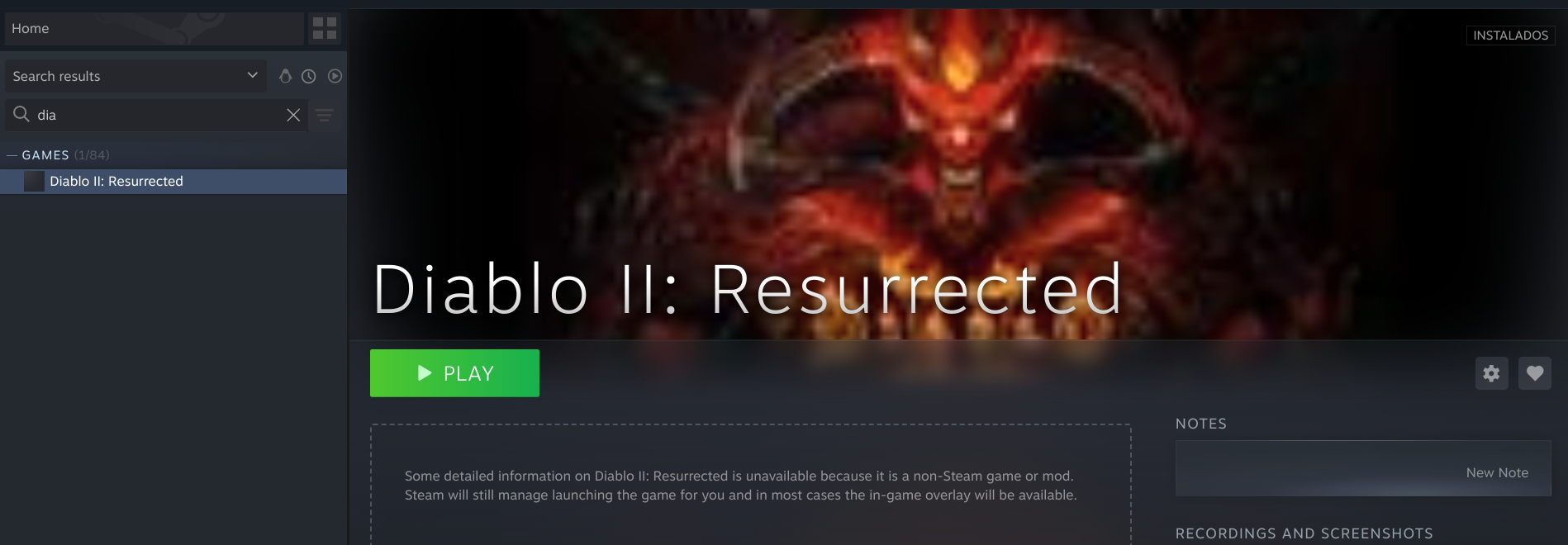 Now Steam has Diablo II
Real Test
When I clicked Play, nothing happened. So I launched Steam from the terminal with flatpak run com.valvesoftware.Steam to see if it prints something to the console.
I didn’t find anything interesting, but as I had problems with flatpak access just before this, I thought that maybe flatpak need something additional.
I googled launching flatpak from flatpak, and I was right, by default flatpak doesn’t allow that. It has an specific command to run programs outside the sandbox, flatpak-spawn
So I went to the Steam properties and modify the TARGET command it is calling
from "/usr/bin/flatpak" to "flatpak-spawn --host flatpak".
The --host option allows us to launch an application outside the sandbox, directly on the host, but it requires access to flatpak D-Bus. We can give it temporarily in the same way I gave filesystem access.
This option is dangerous because it allows to run any executable in the context of the host, beating the objective of flatpak (isolation). Use it with caution.
I ran flatpak run --talk-name=org.freedesktop.Flatpak com.valvesoftware.Steam
Ok, it didn’t work, but after I modified the properties again it worked! it launched Battle.net
I moved the options to LAUNCHER OPTIONS
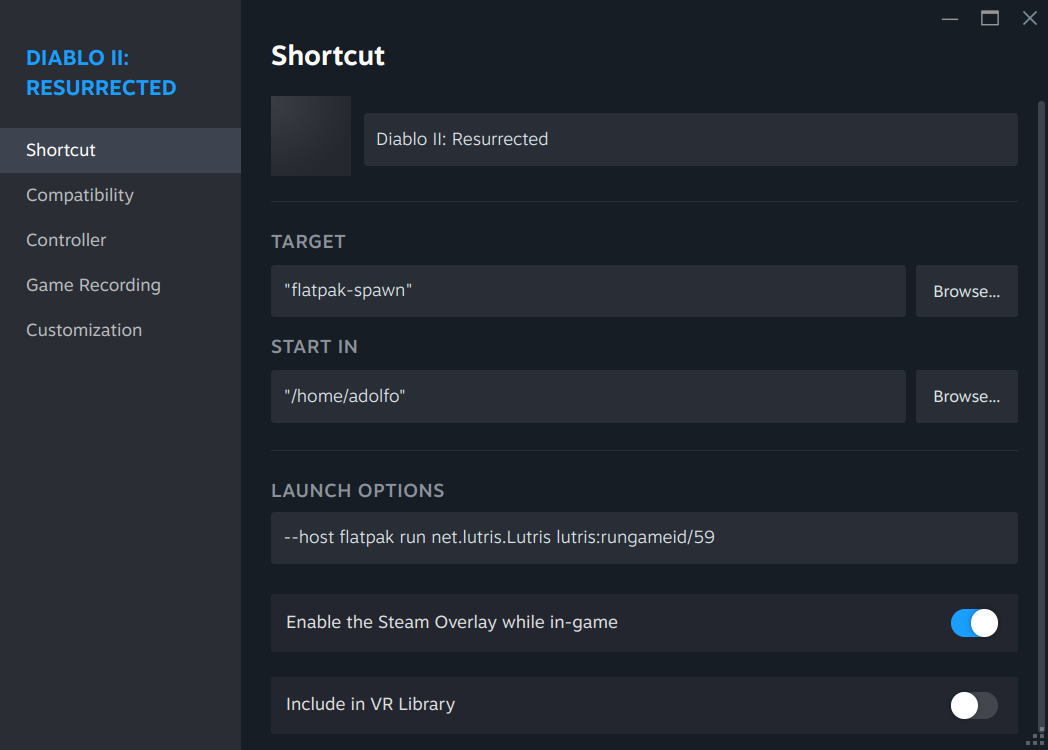 With this properties it ran just fine
Finally:
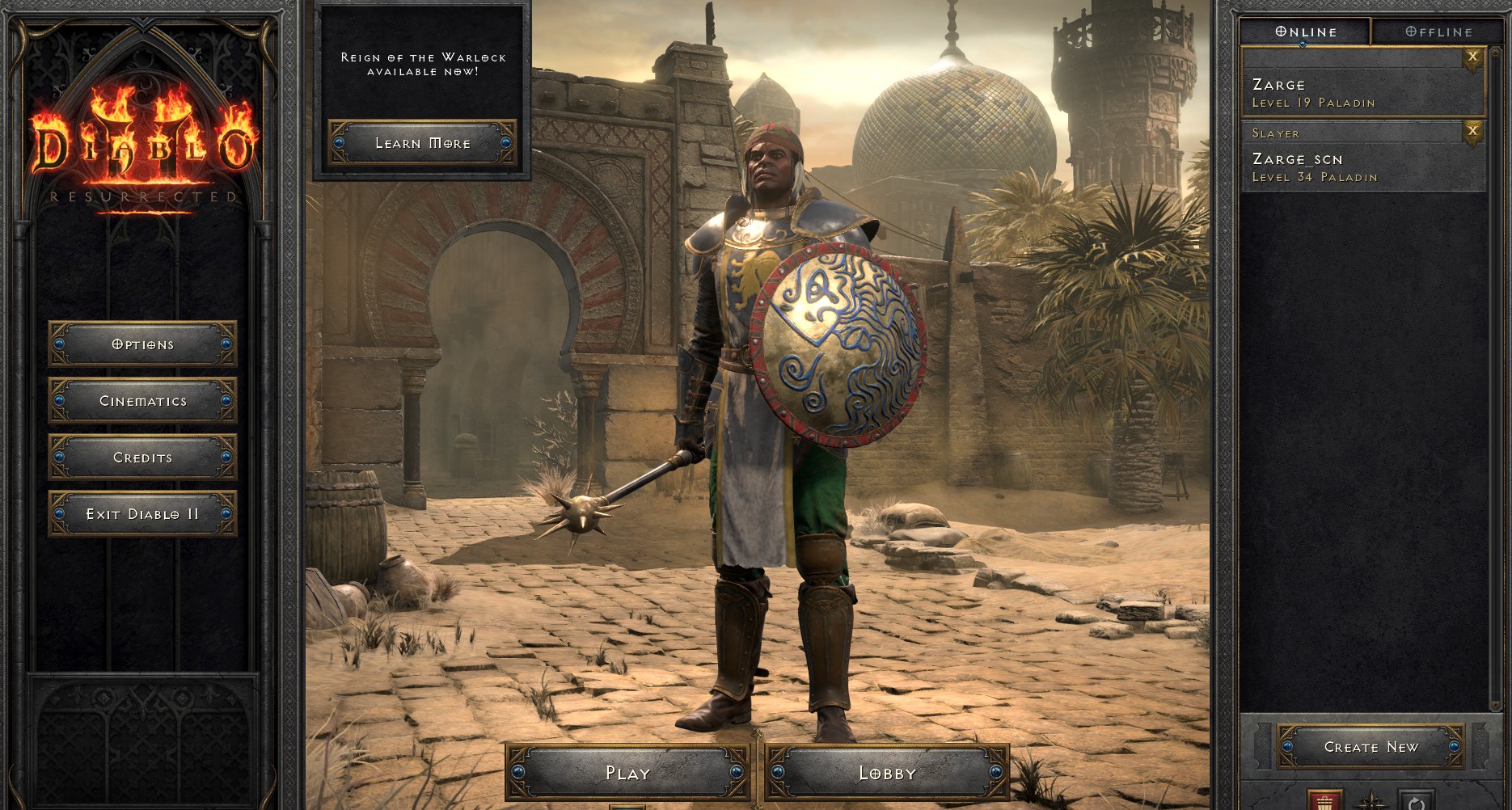 Diablo II menu
Managing Flatpak permissions
Searching how to manage flatpak permissions in an easy way I found two solutions
- Using Flatseal
- KDE has a module to manage flatpak permissions in the Settings.
I am going to show how to install the KDE module
Flatpak permissions management KCM
- Install kde-config-flatpak
1
sudo aptitude install kde-config-flatpak - Profit !
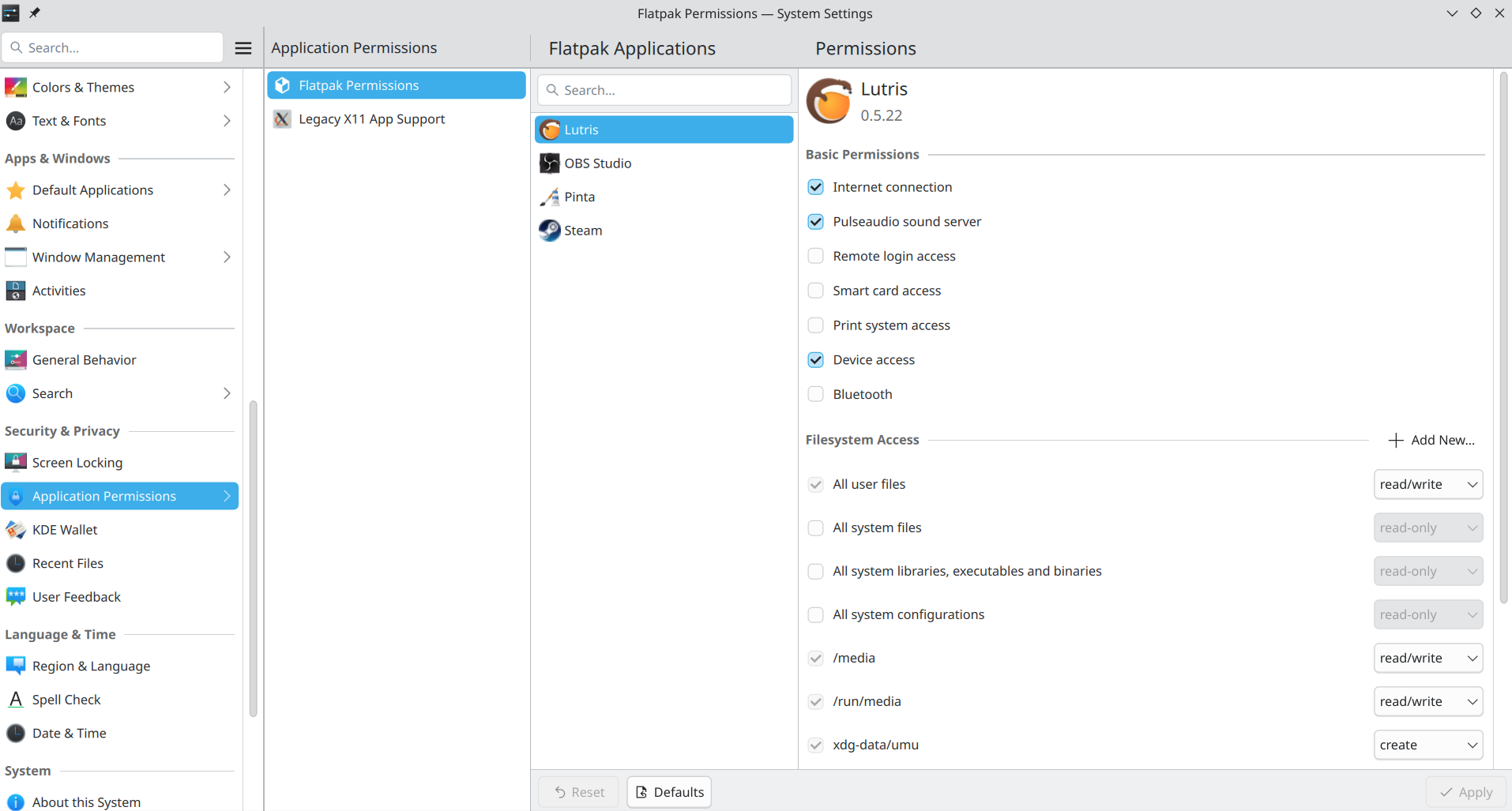 This KDE module allows to modify the permissions easily
I tested modifying the Lutris access to the Steam folder and it worked.
1
2
3
4
5
6
7
flatpak info --show-permissions net.lutris.Lutris
[Context]
shared=network;ipc;
sockets=x11;wayland;pulseaudio;
devices=all;
features=devel;multiarch;per-app-dev-shm;
filesystems=home;/media;/run/media;~/.config/MangoHud:ro;xdg-run/gamescope-0:ro;~/.var/app/com.valvesoftware.Steam;xdg-data/umu:create;
Notice how it is not read-only anymore.